Turn notes into tickets automatically
Record yourself writing up one ticket: open the note, create the issue in your tracker, paste the link back. Ditto AI works out the steps, connects the tracker with a hosted tool server you sign into and the notes app with a local one, and gives you an agent that does the rest. This pattern, a tracker issue plus its link in Apple Notes, is one of the runs verified on real accounts.
The task
You finish a call or a review and you have notes. Each item that matters has to become a ticket: open the tracker, write the title and description, set the project, then put the ticket's link back next to the note so nobody files it twice.
It takes two minutes per item and you do it several times a week. It's also the kind of task an agent is genuinely good at: the shape never changes, but the content does every time.
What it takes to do this with an agent, by hand
The work isn't the prompt. It's:
- Finding an integration for your tracker, and one for your notes.
- Installing each, and getting the right credential into each. A hosted tracker server usually means an OAuth sign-in; a local notes server means something on your Mac.
- Deciding what the agent may do: create issues, yes; delete them, no.
- Checking that all of it actually works before you trust it with real notes.
That's an afternoon, and it's the same afternoon again for the next workflow.
Doing it by recording instead
- Record yourself writing up one item. Open the note, create the issue, copy its link, paste it back. Narrate the parts that vary: "the title comes from this line; the project is always the same".
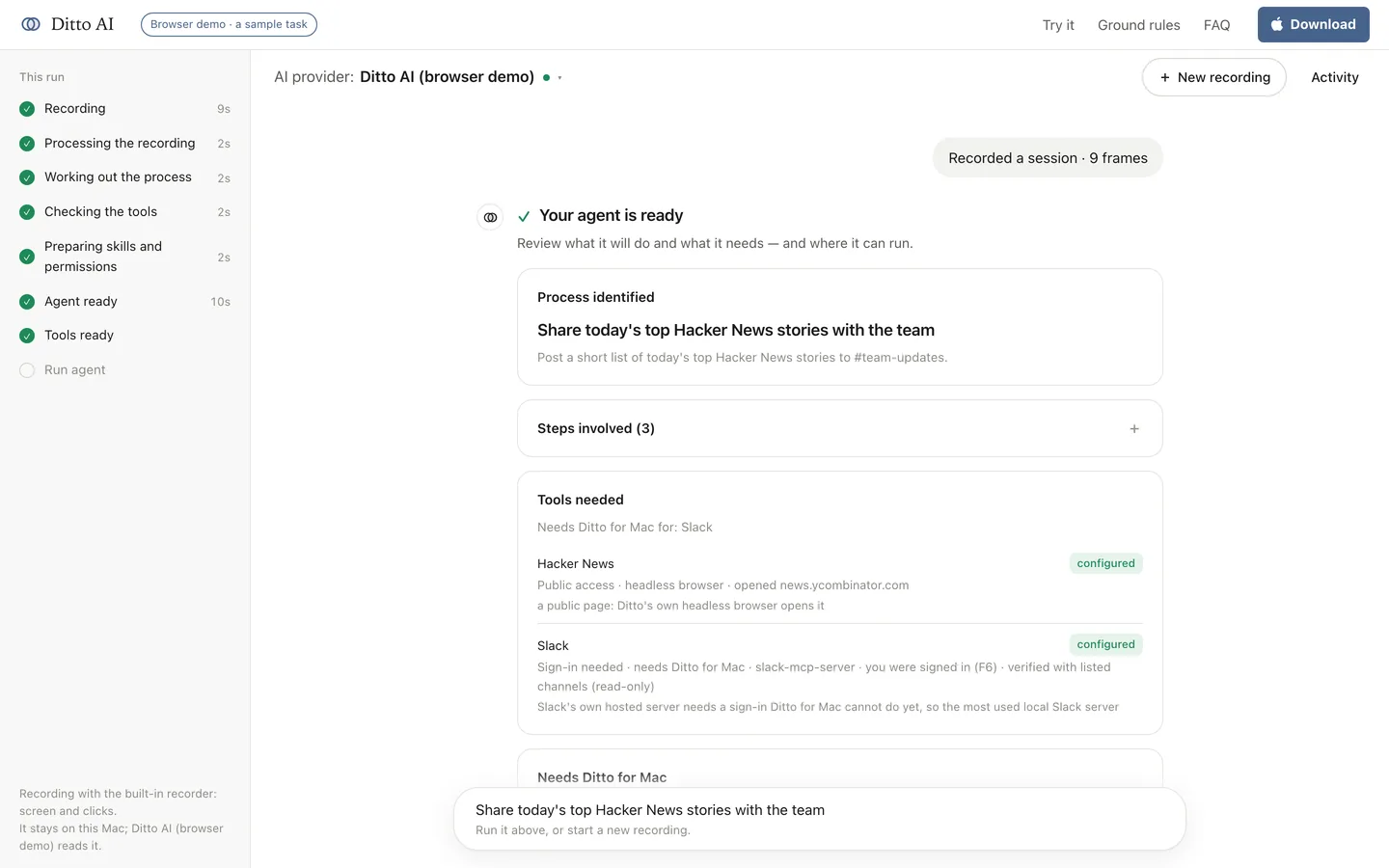
- Read what Ditto understood. It lists the steps in order, the app for each, and the inputs it found, with the frames each step came from.
- Connect the two tools. For a tracker with its own hosted server, Ditto signs you in through your browser and keeps the token. For the notes app, it starts a local server and makes one read-only call to prove it works.
- Review the permissions. The agent gets the tools your recording used and nothing else, with read or write per tool from a fixed table.
- Run it on the next batch, with every write shown to you as a draft until you trust it.
Why the hosted-plus-local combination matters
Most real tasks mix a web service with something on your Mac. That's exactly the case this pattern covers: a tracker reached through the vendor's own hosted server, and a notes app reached through a server running locally, in one agent, with one permission policy over both.
Ditto signs into a hosted server itself, using the standard OAuth flow the server advertises, and opens the sign-in page in your real browser rather than inside the app. The token is stored once and reused by both the tool check and the runs. If a refresh is refused, it forgets the token and asks again instead of failing silently.
What it's allowed to do
| Tool | What the recording did | Access it gets |
|---|---|---|
| Your tracker | Created an issue | write |
| Your notes app | Read a note, added a link | write |
| A public page, if the task opened one | Read it | read |
Access comes from a fixed table, not from the model, and anything Ditto can't classify counts as a write. During the tool check, nothing that writes is ever called: a tracker server is proven by reading, never by creating a throwaway issue.
Honest limits
- This is a pattern, not a guarantee for your exact tools. A tracker issue plus its link in Apple Notes is documented as verified on real accounts. Your tracker and notes app may not have a server of the same quality, in which case Ditto will tell you what it found and what it couldn't prove.
- A hosted server that needs a pre-registered app is passed over in favour of a local one, and the review says why.
- Deciding which items become tickets is a judgment call. If that judgment is yours, keep the draft-first option on, so you approve each one.
Adapting it
The same recording pattern covers anything shaped like "read from one place, create in another, link them back": a support thread into a bug, a meeting note into tasks, a form response into a record. Record the version you do most often, and start there.
Ready? Install Ditto AI, or try the sample task in your browser first.